Understand your setup
Run a read-only scan, see what is missing, and review recommendations before making a change.
See how it works
Scan Jira Service Management, choose a proven model, and install structure without touching what already works.
Not the shipping UI
LaunchPad separates the work into three clear decisions. Each has its own guide.
Run a read-only scan, see what is missing, and review recommendations before making a change.
See how it worksExplore 13 operational service models, from a basic CMDB to enterprise IT and software assets.
Explore service modelsGenerate a guided workbook and validate every value against the live schema before import.
Open the Workbook guideIn a live Jira Service Management scan, LaunchPad analysed 2 service desks, 4 projects, 50 request types, 123 custom fields and 272 request-type field references in around 8 seconds.
Workforce Management, Core, Basic CMDB and Enterprise IT CMDB came back as high-fit starting models, with repeated free-text fields flagged for structure. Live JSM scan
The service model library shows the object types, fields and relationships that will land in Assets.
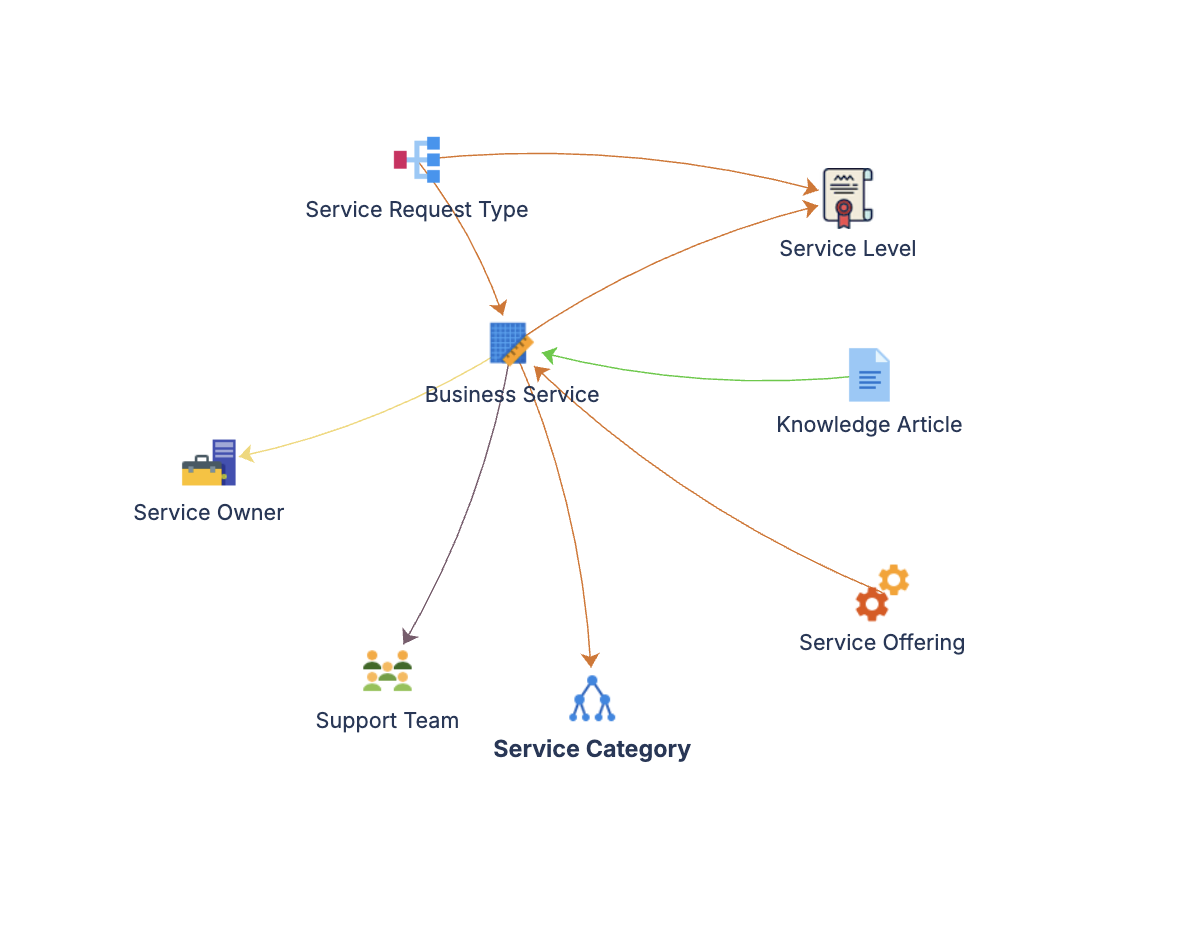
Scan first, install additively, and keep every request-form change under your control.
The environment scan changes nothing. You see the result before choosing an action.
LaunchPad adds structure. It does not overwrite, merge or repair existing objects.
The app runs inside your Atlassian tenant, with no customer data export.
Request forms stay untouched until you apply the recommended configuration yourself.
Use a LaunchPad model as the destination, then validate exported data through the Workbook Engine. The data move remains under your control.
$4.53
per user, per month
Free for up to 10 users.
Install LaunchPad from the Atlassian Marketplace. It is free for teams of up to 10 users.
We use analytics cookies to understand how the site is used, only if you accept. Read our privacy policy.