
Asset Sync
for Google Sheets™- One-way import
- Read-only
- Nothing is written back
Import Jira Assets into the spreadsheet where the work happens.
Asset Sync is a Google Sheets™ add-on for building a practical view of Jira Service Management Assets. Connect your accounts, choose a schema, filter the objects with AQL, select the fields you need, and write the result to the Sheet you choose.
Save the report definition once, then refresh the same destination with one click. Asset Sync reads from Assets into your sheet and never writes back.
Free · Read-only by designConnect your accounts
Open Asset Sync in the Google Sheets™ sidebar and connect Google Workspace™ and Atlassian. Your Atlassian permissions determine which Assets schemas, object types, and objects are available.
Build the report you need
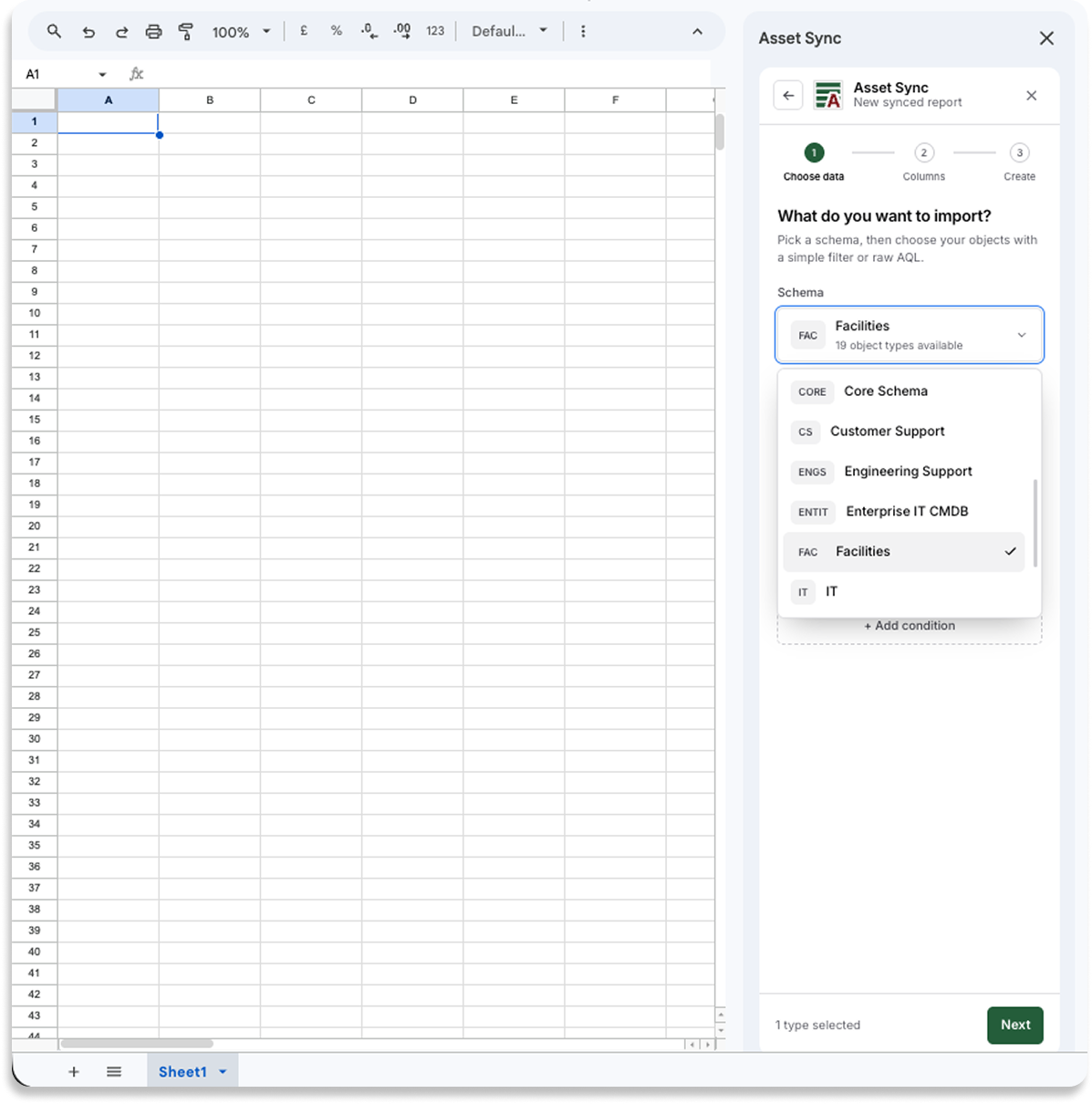
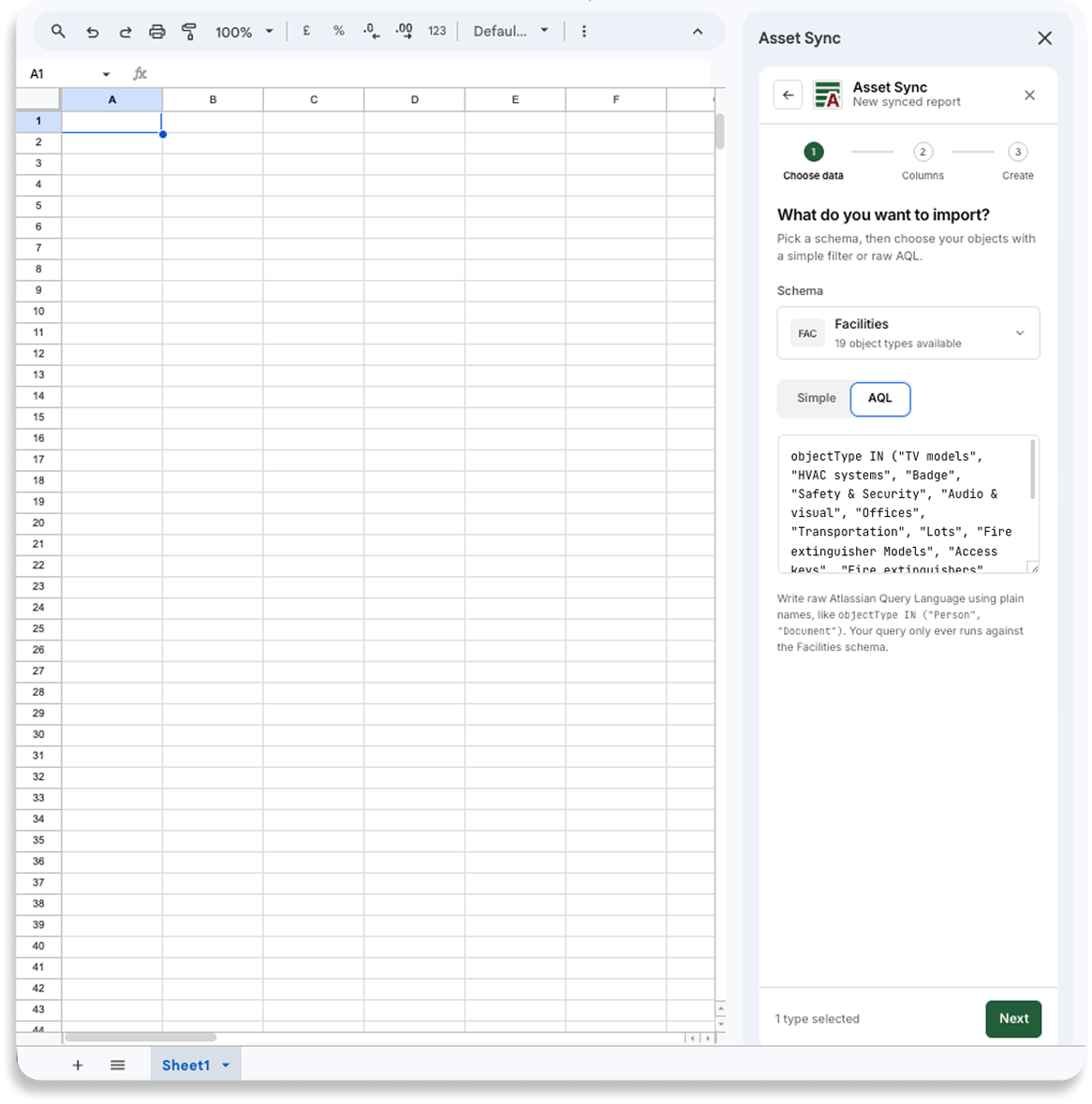
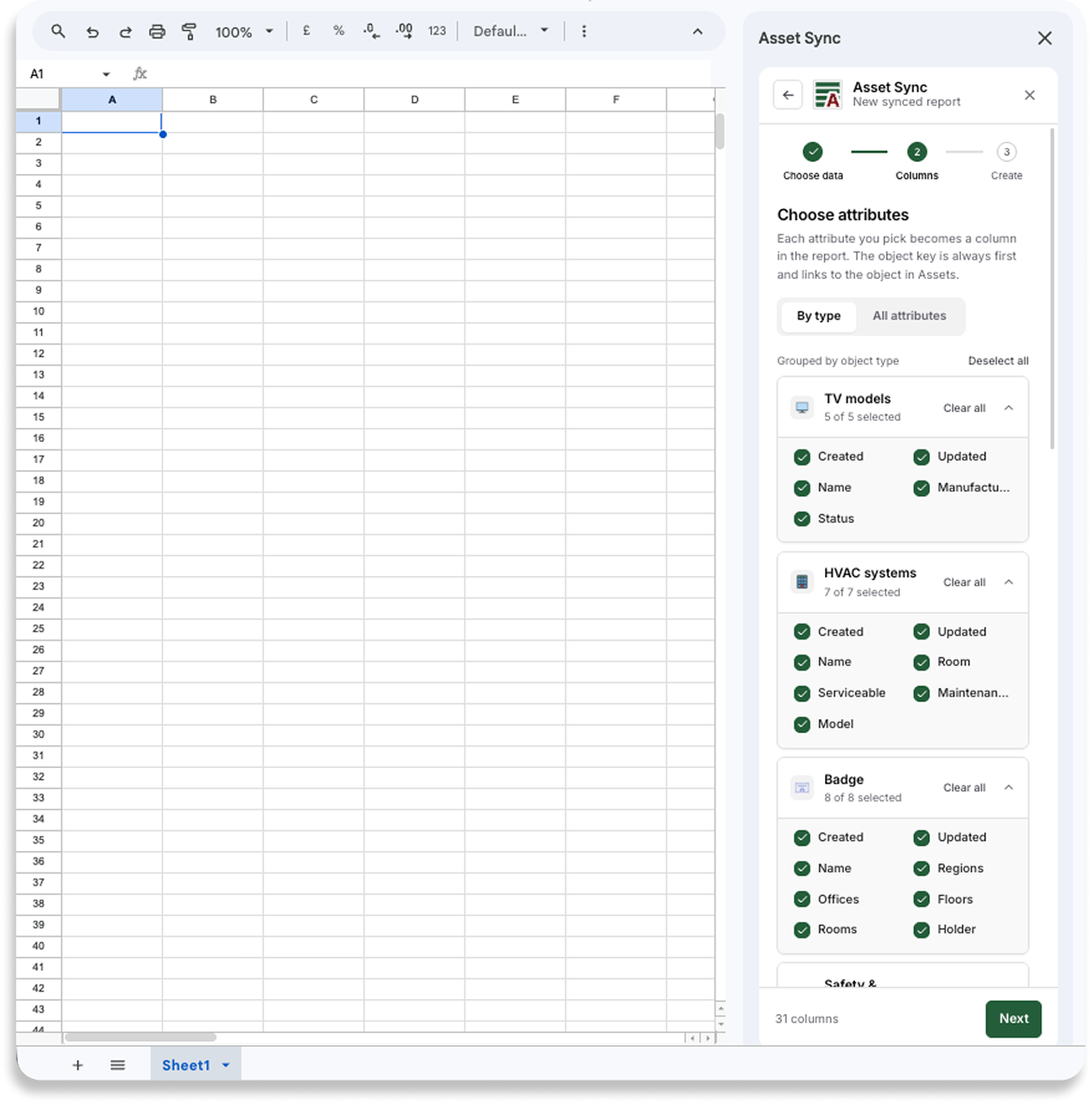
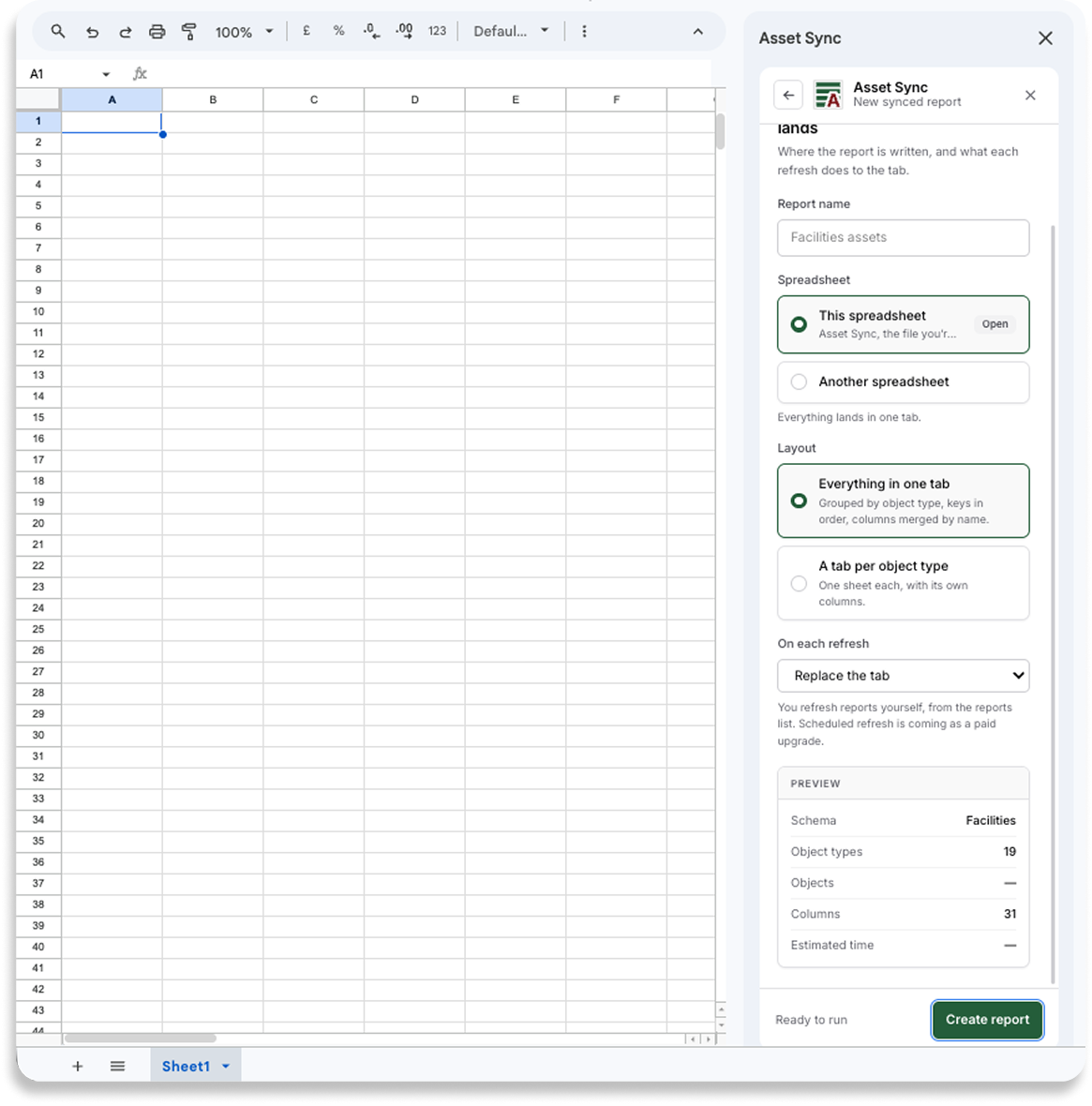
Choose a schema and object types, filter with the visual builder or raw AQL, then select the attributes to bring across. Give the report a name and choose its spreadsheet destination.
Refresh the same view later
Asset Sync writes the current results into your selected Google Sheet. When the data changes, refresh from the sidebar and the saved definition runs again against current Assets data.
Six screens, start to finished report.
These are the add-on’s own screens at the width it runs at, not mockups. The whole job is a schema, a filter, a set of columns and a destination.
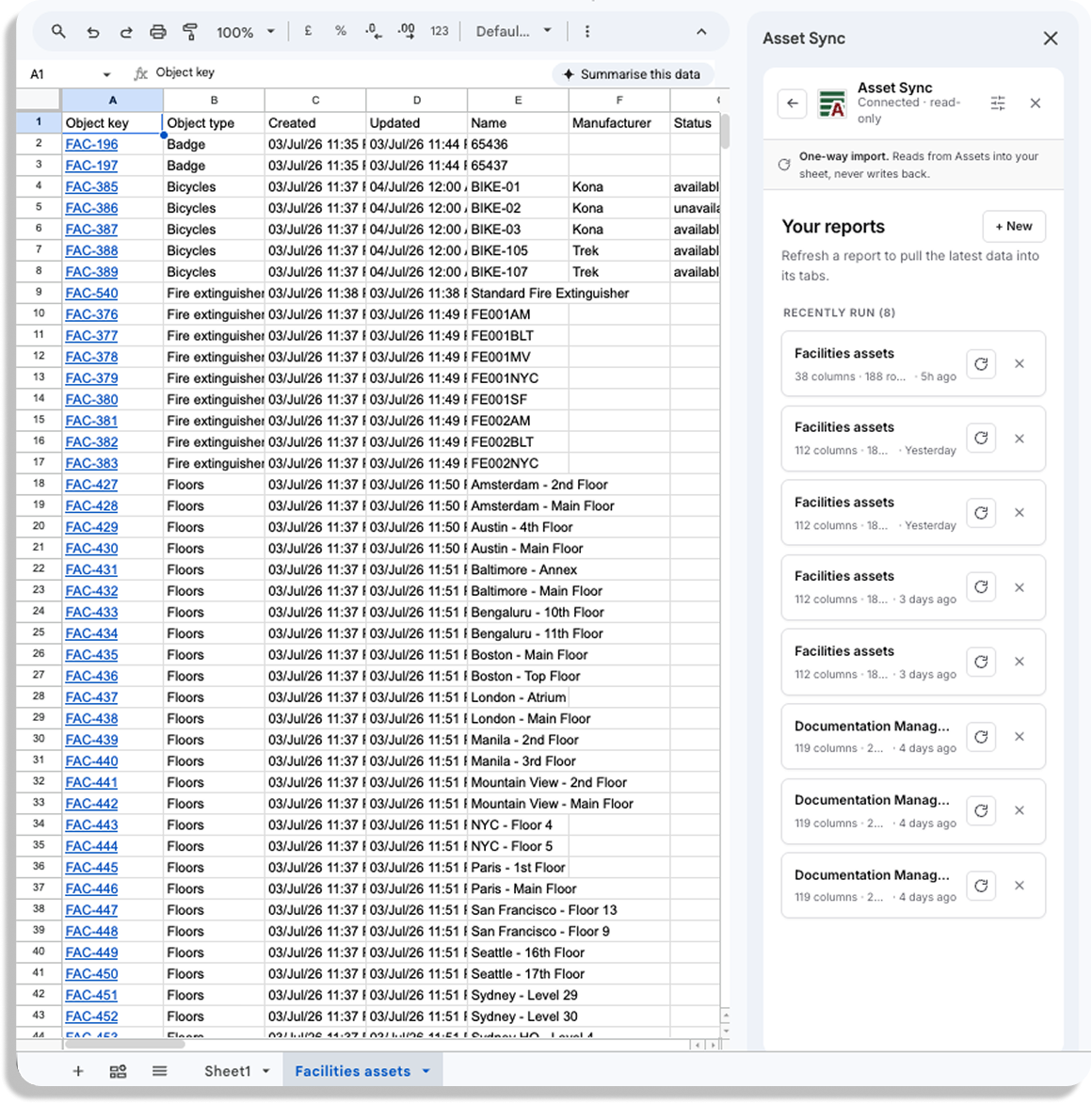
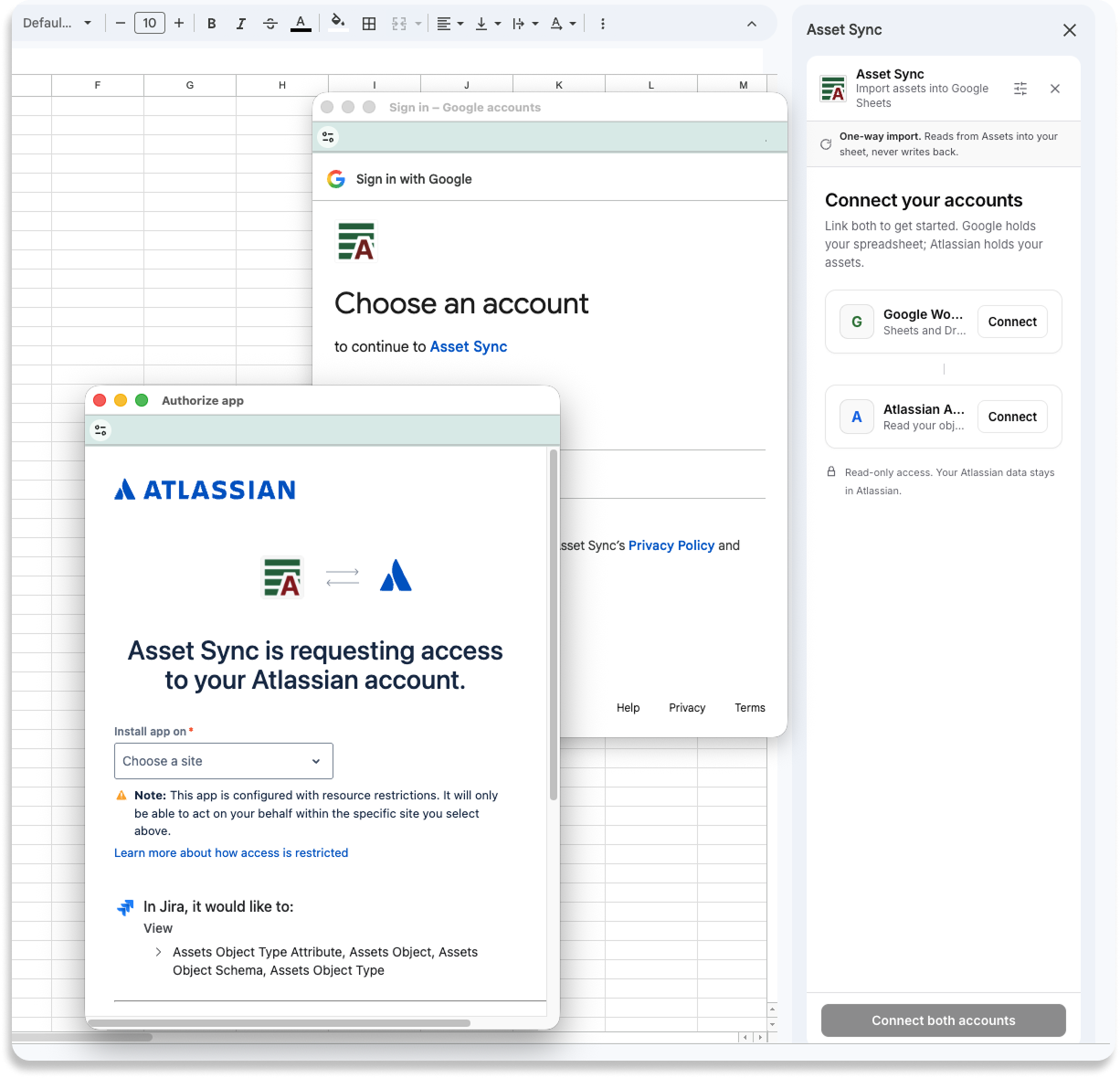
Version 1 gives you a focused path from Jira Assets to a useful Google Sheet™: connect your accounts, select the data, filter it, choose the columns, name the destination, and refresh it when you need current results. It reads from Assets and never writes back, and you refresh reports yourself, so there is no schedule. Until a feature is in the app, you will not find it claimed on this page.
- Runs in
- Google Sheets™, as a sidebar add-on
- Reads from
- Jira Service Management Assets
- Direction
- One-way: Assets to your sheet
- Version 1 price
- Free
- Refresh
- One click, whenever you choose
Careful with your data
Asset Sync reads Assets with your own Atlassian permissions and writes the selected results only to the spreadsheet you choose. Object data passes through our service during an import and is not retained after the import completes. We store the connection tokens, the metadata needed to reconnect, and your saved report definitions. Disconnecting deletes the stored connection tokens. The full detail is in our privacy policy.
Get release news
Leave your details and we will tell you the day Asset Sync is live, and nothing else.
Asset Sync is built by Let’s Talk Solutions Ltd and is compatible with Google Sheets™ and Jira Service Management™. Google Sheets™ and Google Workspace™ are trademarks of Google LLC. Jira Service Management™ and Atlassian™ are trademarks of Atlassian Pty Ltd. Asset Sync is not affiliated with, endorsed by, or sponsored by either company.