01
Read the request
On the issue view, Second Chance reads the summary, description, request type and labels, as the viewing agent, so it only ever sees Confluence articles they can already access.
 Free and live on the Atlassian Marketplace
The moment a request is submitted, Second Chance reviews it against your connected Confluence knowledge base and surfaces the articles that actually match, ranked by confidence, giving users one more chance to self-resolve before an agent picks it up.
Forge-native. Read-only. It never touches your ticket lifecycle.
Second Chance requires Confluence connected as the Jira Service Management knowledge base.
Jira Service Management suggests articles while a customer is filling in the form, before they've committed. By then most people have already decided they want a ticket, so the suggestions get skipped.
Shown while the user is still typing, before they've committed to raising a request. Most are already set on a ticket, so the prompt is dismissed.
Analysed once the request exists and the user has a ticket reference: the moment they're most open to a faster route to resolution.
Deterministic keyword scoring: no LLMs, no embeddings, nothing to train. Every recommendation is inspectable.
On the issue view, Second Chance reads the summary, description, request type and labels, as the viewing agent, so it only ever sees Confluence articles they can already access.
It searches the Confluence space connected to the project as the customer-facing knowledge base, and scores each article on a transparent, weighted formula: request-type-in-title, keyword overlap, freshness.
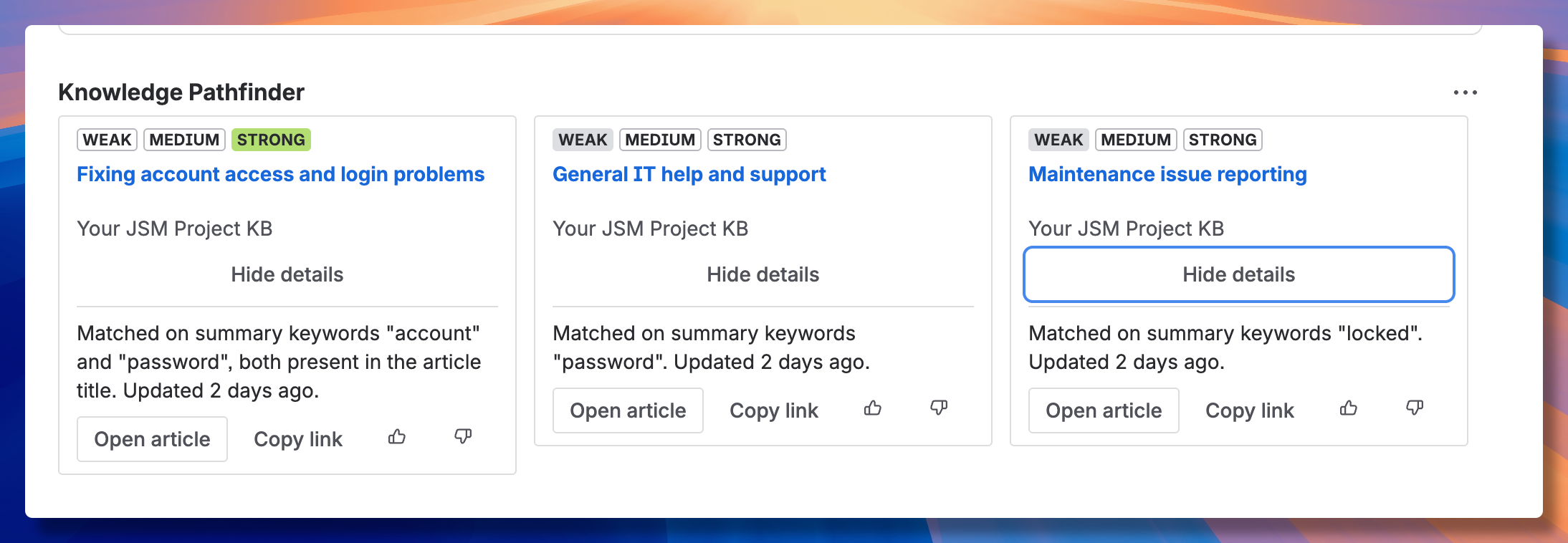
The best three surface in the issue panel, each with a strength band and a plain-language reason. Requests with no strong match are logged as coverage gaps.
A weighted sum of signals. Deterministic, inspectable, and shown on every card.
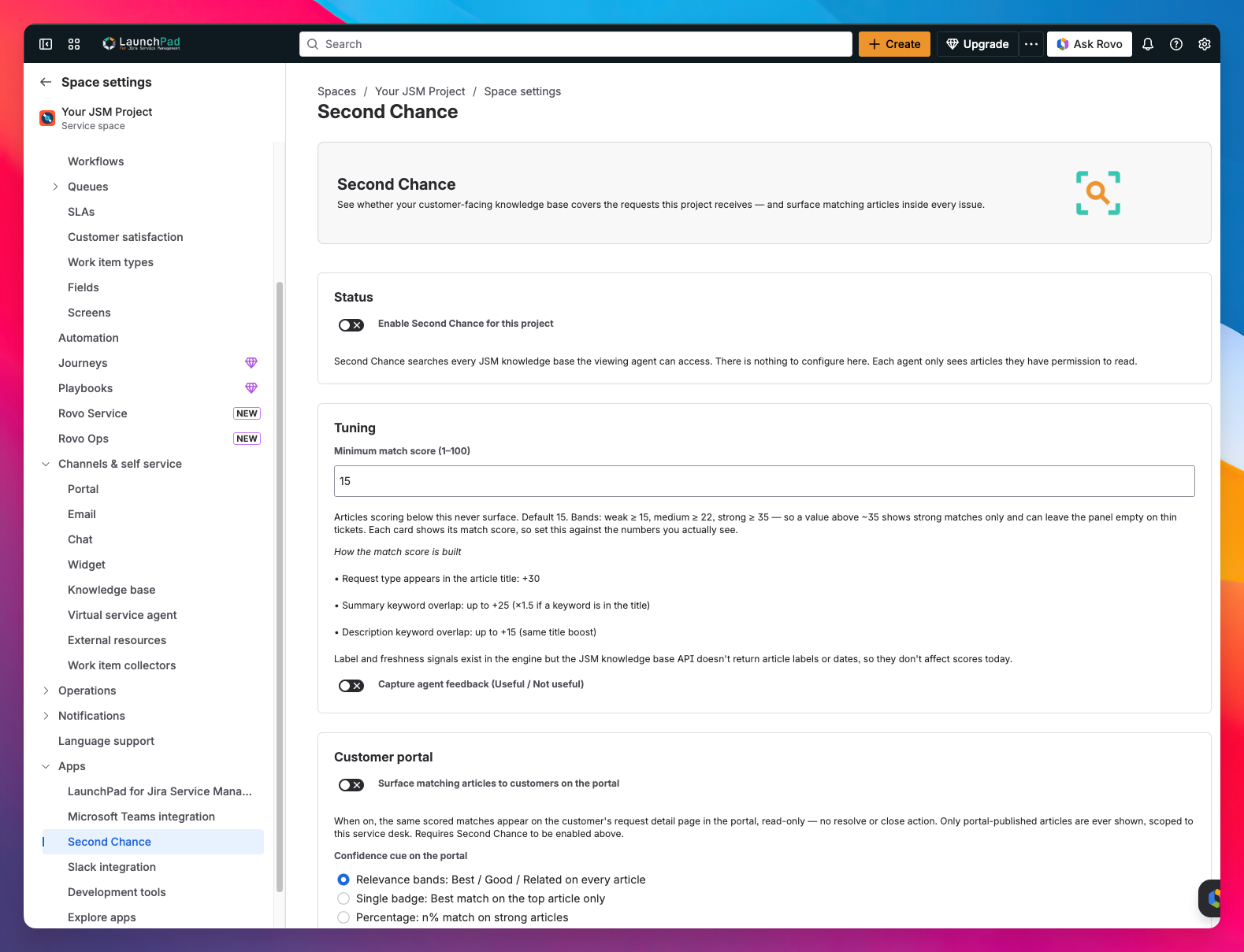
The minimum match score and the weighting behind it live in Jira Service Management project settings, next to the rest of your JSM admin. Nothing to install or manage separately. Second Chance requires Confluence connected as the Jira Service Management knowledge base.
Matching articles surface right after the request is created, ranked by confidence, at the moment users are most likely to actually read them.
When a request matches an active incident or known problem, Second Chance flags it immediately with a status link, no waiting for triage.
Analyse recent requests to find strong coverage, gaps, and recurring ticket types that deserve documentation. Turn deflection data into a roadmap.
Requests that arrive with no strong match are coverage gaps: the questions your Confluence knowledge base can't yet answer. Second Chance turns them into a ranked list of what to write next.
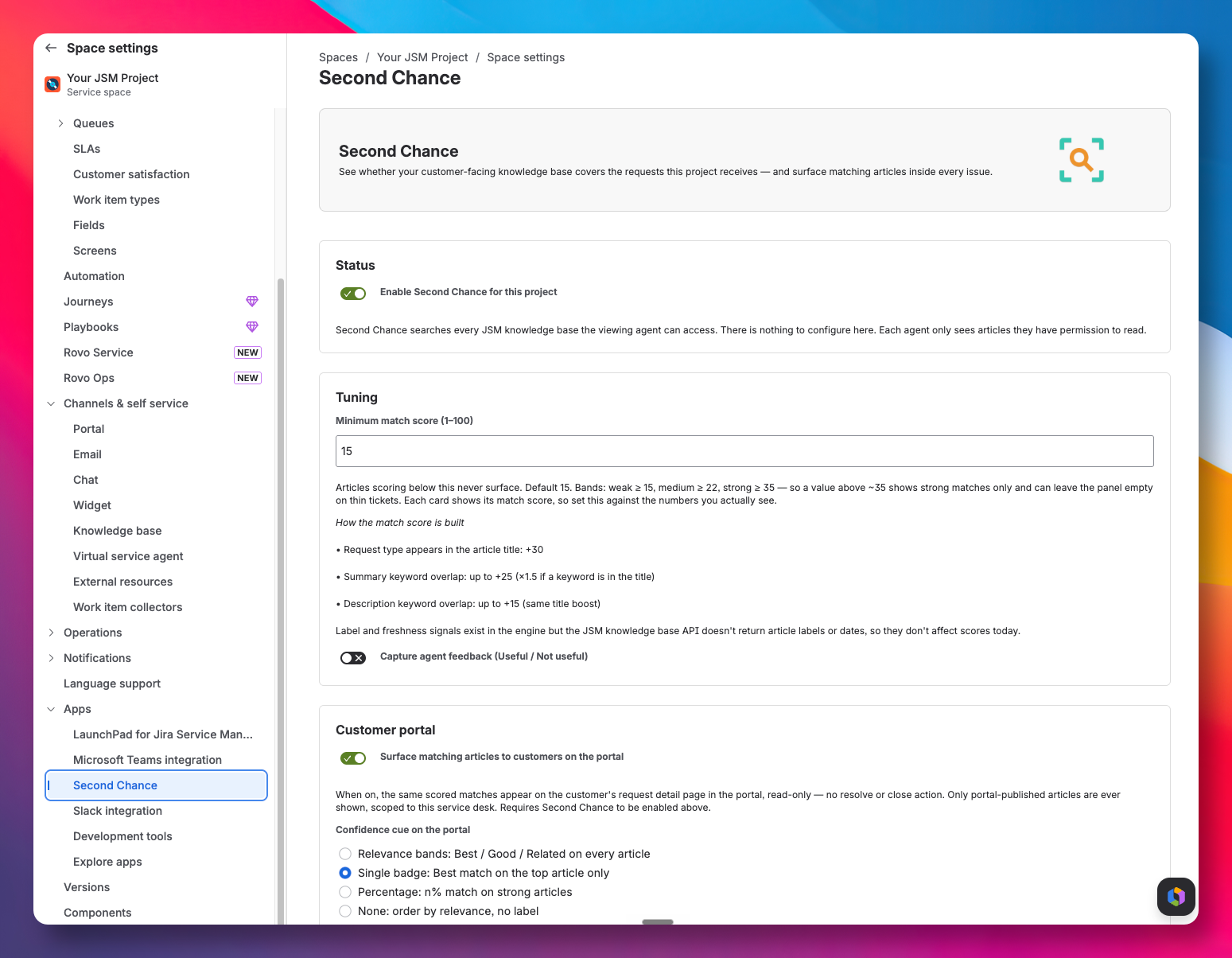
Second Chance is a free, standalone app for Jira Service Management, enabled per project in JSM settings. There's nothing to configure to get started, and tuning the match score is optional.
A confident match, usually the request type or key terms hitting the article title directly.
A reasonable match on keyword or label overlap, worth a look before escalating.
Some signal, but thin. Shown for transparency, never gate-kept, always labelled honestly.
Runs entirely inside Atlassian Cloud. No external servers.
Agents only ever see Confluence articles they already have permission to read.
No LLMs, no embeddings, no learned models. Scoring is rules-based and auditable.
It never changes states, workflows or request lifecycles. Read-only, always.

Install Second Chance free from the Atlassian Marketplace. It's read-only, Forge-native, and live on the next issue view.
We use analytics cookies to understand how the site is used, only if you accept. Read our privacy policy.